Always know what you're paying for, and how much you have left
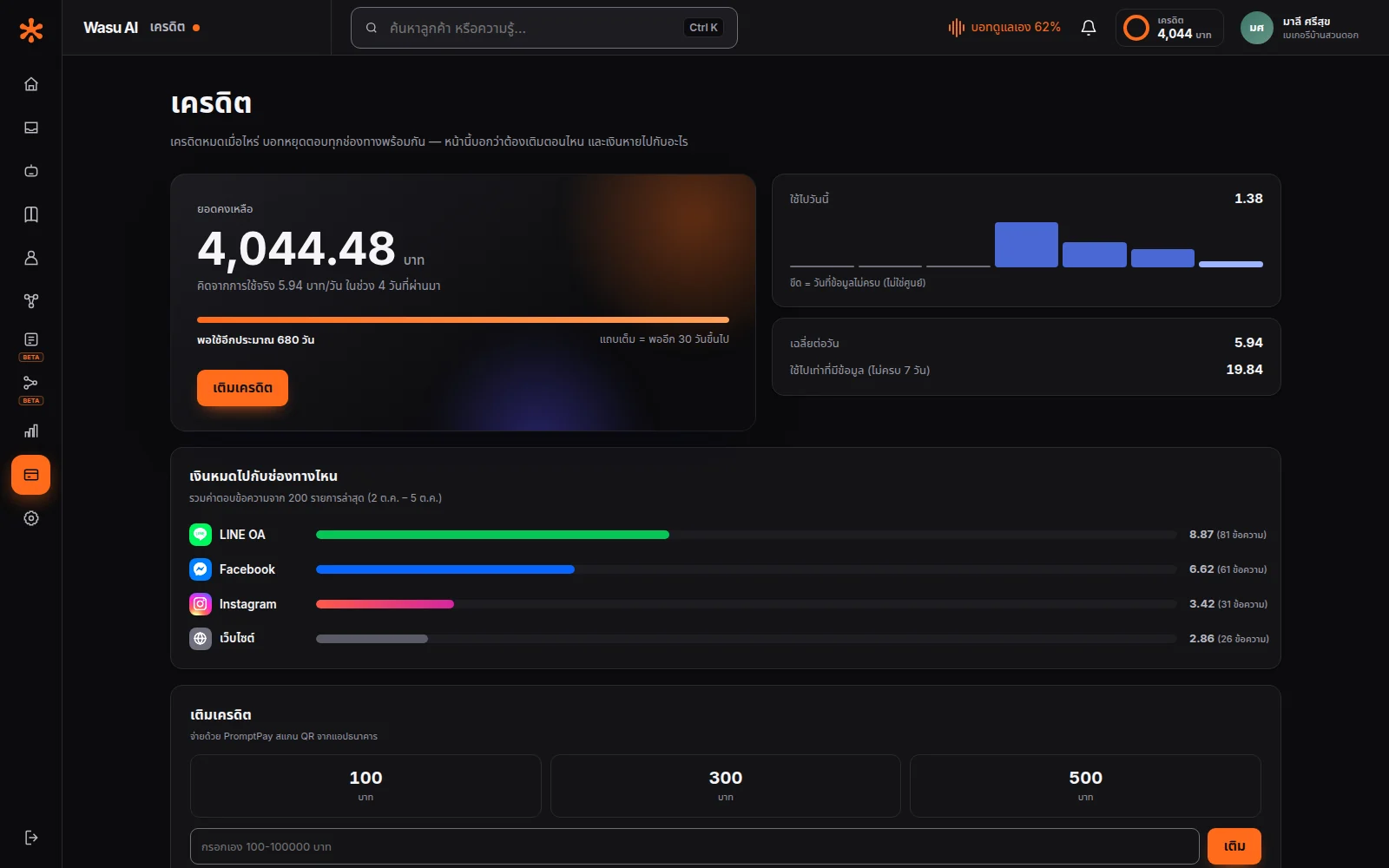
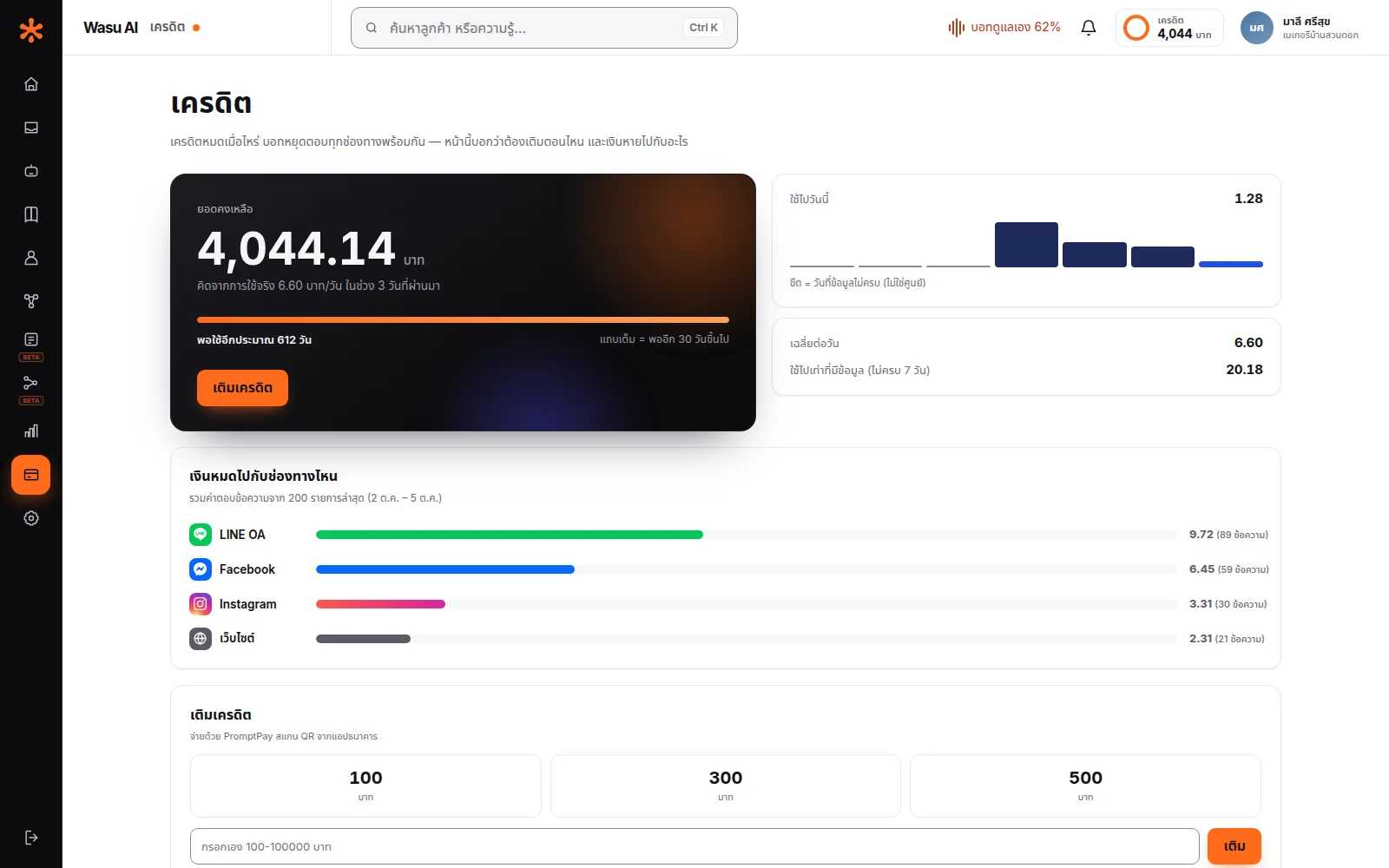
See exactly what every baht of credit went toward, and roughly how many days you have left — no guessing at the end of the month.
Why people are wary of "pay for what you use"
Because they've been burned before — use first, get billed later, and the invoice at month's end is a surprise.
That fear is reasonable. Most usage-based systems let you use first and bill afterward, which means if something goes wrong — an unusual spike in customers, or someone deliberately hammering it — you find out only after it's too late.
Wasu AI works the other way around. You top up first — you pay when you top up, not at the end of the month — so there's no surprise invoice, and you can see your balance at all times.
What happens when credit runs out
When credit runs out, the bot stops replying to new messages on every channel.
Customer messages still reach your inbox and are marked as waiting for a team member, so you can reply yourself.
Your balance may dip slightly below zero from replies already in progress when credit runs out, and the overage shows clearly on the credit page. Once you top up, the bot replies to new messages again; conversations left waiting for a team member still need someone to follow up.
Which means you do need to keep an eye on your balance — the system helps with that by estimating roughly how many days of credit you have left.
See exactly where it went
The credit page doesn't just show a balance.
You see the full history — when you topped up and how much, what each deduction was for, which periods used the most.
Based on your shop's actual usage pattern, the system also estimates roughly how many days your remaining credit will last, so you know in advance when to top up, instead of finding out only after your balance has already gone negative.
One detail we built in on purpose: if there isn't enough usage history yet to estimate accurately, the system says so plainly instead of guessing a number.
A wrong estimate is worse than no estimate at all, because you'd end up planning around a number that isn't real.
Pick an AI model that fits your budget
Every shop chooses which AI model replies for them, and can switch anytime, with immediate effect.
The fast, affordable model — great for the common questions: pricing, hours, how to order. Most shops do fine with just this one.
The smarter model — better at handling complex questions, suited to businesses whose customers ask long, multi-condition questions or need detailed explanations.
The cost per reply differs meaningfully between the two — see the actual numbers on the pricing page.
Most shops start with the affordable model, then switch if they find answers aren't detailed enough — rather than starting with the pricier one out of caution.
Topping up is easy, no receipt uploads
Top up by PromptPay right in the system — credit is added automatically once payment goes through.
No bank transfers, no screenshotting a receipt for someone to verify, no waiting for staff to check it in the morning.
Choose one of three top-up packs — 100 / 300 / 500 THB — or enter your own amount, from 100 up to 100,000 THB.
Frequently asked questions
No — credit you've topped up stays in your shop's account indefinitely.
Nothing is lost — there's no monthly fee.
Open the credit page anytime — it shows both the remaining balance and the full deduction history.
The website chat channel has a per-shop cap on how many questions it accepts, both per minute and per hour. Channels like LINE and Facebook are rate-limited by the platform itself instead. And every deduction shows up on your credit page, so if anything unusual happens you'll see it right away.
Let AI look after your customers, starting today
Turn every conversation into an opportunity for your business
Start for free